












 About Us
 Brand
 Career
 Contact Us



 +91-7314623098


Quick overview:
An HRMS implementation checklist helps organisations prepare employee data, configure workflows, validate payroll, train users and manage go-live for a smoother rollout.
Key takeaways
- Define implementation goals, assign project owners and establish clear responsibilities across HR, payroll, IT and finance.
- Clean employee records, resolve inconsistencies and validate sample migrations before transferring the full database.
- Translate HR policies into system rules and account for applicable statutory requirements before configuring the HRMS.
- Configure approval workflows and access permissions to protect employee data and keep decisions traceable.
- Test real HR workflows with end users and run parallel payroll to identify issues before go-live.
- Train managers and employees, provide post-launch support and review system performance to sustain adoption.
Introducing a new HRMS can be exciting. It promises faster, more efficient, and more transparent HR processes. But poor rollout can dilute these benefits. It can create roadblocks like data issues, unclear processes, or employee resistance.
Successful implementation rests on the pillars of preparation, direction and coordination. These foundations are the make-or-break factor in seven out of ten enterprise-grade software implementation projects.
We’ve formulated an HRMS implementation checklist that dives right into the nitty-gritty. Use it to prepare your teams, avoid common roadblocks and make the transition smoother.
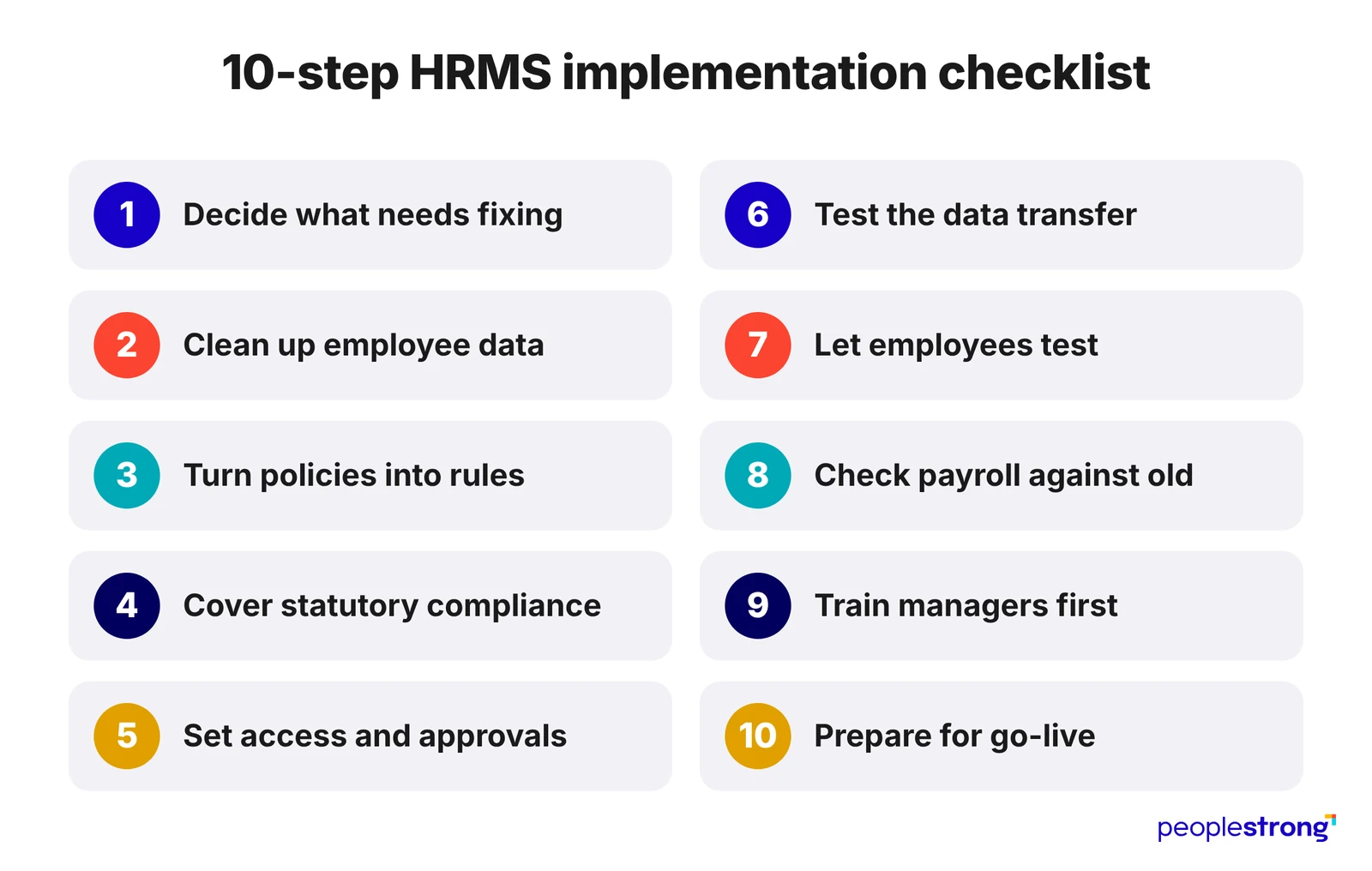
10-Step HRMS Implementation Checklist
A smooth HRMS rollout is a carefully orchestrated set of events that lead to launch. This 10-step HRMS implementation checklist will keep things moving smoothly.
1. Decide What Needs Fixing and Who Will Fix Things
Figure out what processes need fixing before setting up the HRMS. Is payroll taking too long? Are employee records scattered across spreadsheets? Does HR spend too much time following up on leave approvals?
Work through these pain points. Then, decide which ones the new system should address first. Next, appoint an HRMS implementation lead.
The project lead will onboard relevant teams like HR, payroll, finance and IT. They set expectations for individual roles and responsibilities. For example, payroll can validate salary calculations while IT checks integrations and access controls. Additionally, they will also resolve disagreements over requirements and honour deadlines.
2. Get Your Employee Data in Shape Before Migration
Employee data is highly fragmented. Personal details might be in spreadsheets, salary records in payroll software and attendance logs in a separate tool. It’s crucial to consolidate and clean this data before moving everything to the new HRMS
So, start with centralising data. Next, look for duplicates, missing fields and outdated information. Then cross-verify details like salary structures, joining dates, and leave balances to validate accuracy. Finally, standardise all the data to simplify migration.
You can test the waters with a small batch migration. Compare the imported data against the original values. It’s a good test for data migration reliability.
3. Turn HR Policies into Rules the System Can Follow
A policy document won’t tell the HRMS everything it needs to know.
Take leave management, for example. The system needs clear rules for leave accrual, eligibility and holiday adjustments. It also needs to know what to do in exceptional cases. Such as when an employee applies for more leave than their balance allows.
Similarly, look at the other policies the HRMS will handle. Shift schedules and attendance, reimbursements, salary components, employee transfers and so on. Is the policy the same throughout the organisation? Or do different teams follow different versions of the same policy? Without clarity, the system could enforce conflicting rules or carry old workarounds into the new setup.
Document all the rules, along with any exceptions. It forms the basis of HRMS configuration. Once set up, the team can test how the system handles real workplace situations.
4. Account for Compliance With Statutory Requirements
Employer-employee statutory requirements depend on multiple factors. These include employee type and category, employing entity, and location (to name a few). For instance, Indian employers must comply with TDS, EPF, ESI and state-level requirements.
The HRMS platform should first categorise employees. It should calculate deductions and employer contributions depending on eligibility and statutory requirements. Get your payroll or compliance teams to validate these calculations.
Since these regulations are dynamic, the HRMS must be equally responsive. Decide who takes responsibility for keeping the tool up to date. They will monitor regulatory changes and incorporate them into the HRMS platform.
5. Decide Who Can Approve, Access and Change What
Map out how routine requests move through your organisation. Who approves leave when a reporting manager is away? Can expense claims go to a delegated approver? What happens when a payroll change needs a second review?
Answers to these questions determine the HRMS workflow configuration.
Access rights need the same attention. Employees, managers, HR administrators and payroll teams shouldn’t have identical permissions. Some roles can view, edit, and approve different data points, while others can’t.
The HRMS platform should also log sensitive changes like salary revisions. Immutable rewards strike a balance between data security and transparency.
6. Test the Data Transfer Before Moving Everyone Over
One-shot employee database transfers make errors more pervasive and harder to track. Start with a small test batch.
Kickstart with a sample that reflects the variety within your real-world workforce dataset. Include variables like different employee categories, locations, salary structures and reporting relationships. Import it, then compare the new records with the transferred records. Flag any missing fields, incorrect mappings and modified values. Fix the issues and repeat the import.
This pressure tests the reliability of the migration process. Once clear, you’re ready to go all in.
7. Let Employees Test the System Before Launch
The HRMS may look ready during initial implementation. However, everyday use can expose problems at the grassroots level. These may be issues even the implementation team missed. This is why it’s crucial to conduct user acceptance testing (UAT). Here, employees and managers get a hands-on feel of the system alongside HR, payroll and IT.
The UAT typically involves routine tasks. Think: updating personal details, applying for leave, approving requests and checking payslips. Include edge cases too. What happens if an attendance entry is missed? Or if a request is rejected, or payroll needs correcting?
Maintain a list of the issues right at discovery. Then assign these to the appropriate resolution teams. Test the workflow again after optimisation.
8. Check the New Payroll Against the Old One
Process the same payroll period in both the old and new systems.
Do a line-by-line comparison of the gross earnings, deductions, net pay and employer contributions. Also, check the statutory reports.
Are the two systems giving the same values? If not, investigate the reason.
You may need to run multiple parallel runs, depending on payroll complexity and test results. Rerun the calculations after resolving differences. Switch over only after reconciling results.
9. Train Managers First, Then Prepare Employees
Managers drive team engagement by 70%. Naturally, higher engagement will drive greater HRMS adoption. So, start with managers.
Train managers to approve requests, access team records, and handle exceptions before a wider rollout. They should also know when to escalate an issue to HR or IT.
Focus on the employees after training managers. Start with tasks people use most, such as logging in, updating personal details, applying for leave and accessing payslips. Share POC details for when employees need help if they get stuck.
10. Prepare for Go-Live and Stay Close After Launch
Choose a go-live date that offers enough room for your team to prepare. This means holding off the switch during a busy business period of payroll cycle.
Run final checks before launch. Confirm employee data reconciliation, correct access permissions and new system performance. Have a fallback plan ready.
More importantly, treat the launch as a checkpoint and not the finish line.
Spend the first few weeks monitoring payroll discrepancies, failed integrations, and access issues. Collect feedback and employee queries to understand ground-level problems. Assign experts to address escalations while keeping users informed about progress.
These checks will help you distinguish one-off teething issues from deeper problems.
Proper Prep Smoothens HRMS Rollout
A successful HRMS implementation depends on various factors. Clean employee data, clearly defined policies, tested workflows and proper training. Brick by brick, these elements get the system ready for everyday use.
This HRMS implementation checklist helps teams identify gaps early and resolve issues before go-live. Employees and managers are better prepared for the transition.
PeopleStrong’s HRMS platform brings together core HR, payroll, leave and attendance, employee lifecycle management and other essential HR functions. Book a free PeopleStrong HRMS demo to see how the platform could support your organisation’s HR operations.
Frequently asked questions
How long does HRMS implementation take?
HRMS implementation timelines depend on the organisation’s size, data quality, modules involved, integrations and complexity of payroll and approval workflows. A straightforward rollout may take less time than one involving multiple locations or legacy systems.
What are the biggest challenges during HRMS implementation?
Common challenges include inaccurate employee data, unclear HR policies, complex integrations, poorly configured workflows and low user adoption. Payroll discrepancies and insufficient testing can also delay go-live.
Why is data migration important when implementing an HRMS?
Data migration transfers employee records from existing systems into the new HRMS. If the data contains duplicates, outdated details or incorrect salary and leave balances, those errors can carry over into everyday HR processes.