











 About Us
 Brand
 Career
 Contact Us



 +91-7314623098


Quick overview:
Recruitment management system features help teams manage hiring from requisition to joining. Prioritise candidate tracking, skills assessment, scheduling, communication, reporting and integrations that address your actual recruitment bottlenecks.
Key takeaways
- Approvals should cover the role, salary and hiring requirements before recruiters begin sourcing.
- Compare recruitment channels by cost per qualified applicant and cost per joiner. Search past finalists before spending on fresh sourcing.
- Test resume extraction separately from candidate matching. Review suitable applicants the software missed, as well as those it shortlisted.
- Every pending hiring task needs an owner and a deadline. Candidates should receive clear updates when interviews are rescheduled.
- Use assessments that reflect the job, and ask interviewers to support their scores with examples before viewing colleagues’ feedback.
- Follow an accepted offer through to onboarding. Confirm that agreed details transfer correctly and revised joining dates reach the people preparing for the new hire.
Your team has found someone they want to hire. The interviews are complete, yet the offer is stuck in approvals. While the recruiter chases a decision, the candidate accepts another job.
Choosing recruitment management system features starts with understanding where your hiring process stalls. Recruiters need access to candidate information, managers need clear deadlines, and applicants need timely answers.
The software should help everyone move the decision forward.
In this guide, we’ll explore 10 recruitment management system features you must look for.
What is Recruitment Management Software?
Recruitment management software connects vacancies, candidate records, hiring activities and decisions in one shared system.
It helps teams coordinate sourcing, applications, screening, interviews and offers, often linking successful candidates to onboarding.
An applicant tracking system (ATS) manages applications through hiring stages. A broader recruitment platform may also support talent pools, recruitment marketing and workforce planning.
A useful buying question: How much chasing, retyping and waiting will this system remove from an ordinary hiring week?
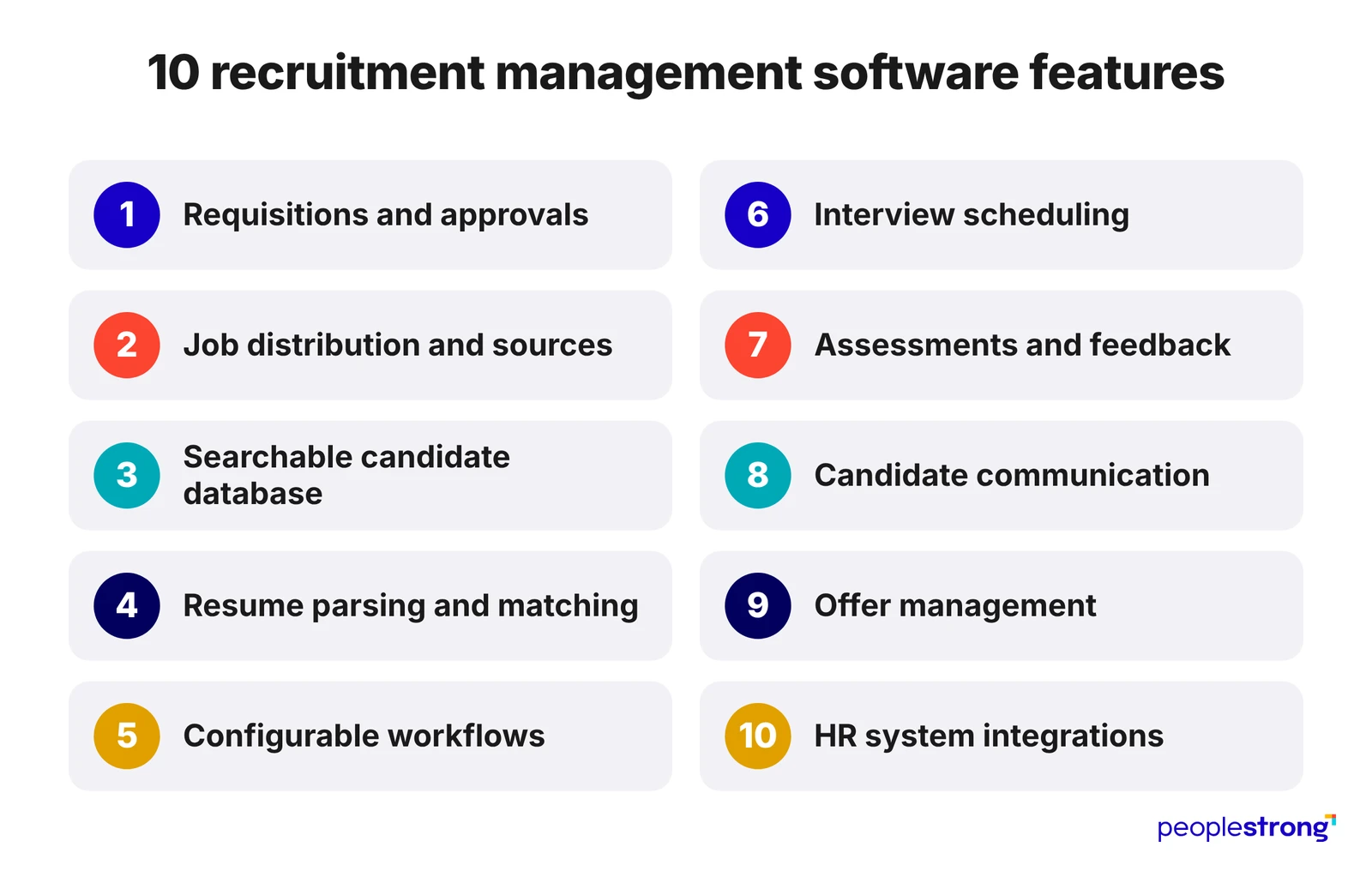
10 Recruitment Software Features to Build a Stronger Hiring Process
The first four recruitment management system features determine whether a vacancy starts with clear requirements and reaches suitable candidates.
Feature #1. Requisition And Approval Management
Start by mapping who approves the headcount, salary budget and decision to recruit. These approvals may sit with different people, and the software should make each requirement clear before recruiters begin sourcing.
When evaluating this feature:
- Check what approval covers: The requisition should record the agreed role, salary range, location and employment type, giving recruiters a reliable hiring brief.
- Test different approval routes: A replacement within an existing budget may need fewer approvals than an unplanned position.
- Check how changes are handled: A revised salary should return to the relevant approver, preserving the previous decision.
Pro tip: During the demo, ask what happens when an approver is unavailable. Check whether delegation keeps the request moving while retaining a record of who authorised it.
Feature #2. Job Distribution and Source Tracking
Assess job distribution against the roles you hire for regularly. The software should connect to the channels that reach those candidates and show whether the applications justify the spend.
When evaluating this feature:
- Check channel coverage: Confirm support for your main job boards, career page, employee referrals and recruitment agencies, including any additional posting fees.
- Follow each source through hiring: Track how many applicants reach assessment, interview, offer and joining. High application volumes can conceal poor suitability.
- Test attribution: Ask what happens when an agency submits someone already in your database. Source records should remain traceable when applications overlap.
Pro tip: Set an internal benchmark. Compare each channel’s cost per qualified applicant and cost per joiner against the previous quarter for similar roles. Define “qualified” consistently so the comparison reflects candidate suitability.
Feature #3. A Searchable Candidate Database
Test whether recruiters can build a relevant shortlist from existing records before paying to source again.
Finding a resume is only the first step. Recruiters also need to understand the candidate’s previous application and whether their details remain current.
When evaluating this feature:
- Combine search criteria: Search by skills, location, experience and previous interview stage to check whether results match the vacancy.
- Review earlier decisions: Profiles should retain interview feedback and reasons an application ended.
- Check record accuracy. Recruiters should be able to identify duplicate profiles, update availability and distinguish separate applications from the same person.
Pro tip: During the demo, use a recent vacancy to search past finalists. Check how many are worth contacting and what information recruiters still need before approaching them.
Feature #4. Resume Parsing And Explainable Matching
Evaluate these recruitment management software features on two separate questions: does the system extract resume details accurately, and does it identify candidates who meet the role’s requirements?
Deloitte India’s Campus Workforce Trends 2026 reports that 72% of surveyed organisations use AI for resume screening.
When evaluating this feature:
- Check extraction accuracy: Test different resume formats. Confirm that recruiters can correct misread skills, employment dates and qualifications while preserving the original document.
- Inspect matching evidence: Ask the system to explain recommendations against agreed job requirements. Recruiters should see which criteria a candidate meets and where evidence is missing.
- Review missed candidates: Examine applicants below the shortlist cutoff. Check whether transferable skills and equivalent experience have been overlooked, and whether recruiters can override recommendations.
Pro tip: Establish a baseline before testing. Have recruiters assess a sample of resumes against agreed criteria, then compare the software’s results. Record extraction errors and suitable candidates it missed to identify where human review remains necessary.
Help Hiring Teams Reach Decisions Faster
The next four recruitment management system features help teams coordinate interviews, collect feedback and make timely hiring decisions.
Feature #5. Configurable Workflows And Task Ownership
A campus hiring campaign and a senior finance search shouldn’t follow identical steps. Choose workflows with role-specific stages, deadlines and escalation rules.
Watch for: Check whether “awaiting feedback” identifies the interviewer responsible, shows how long the response has been overdue and triggers a reminder. Recruiters should be able to see whose input is missing before arranging the hiring decision meeting.
Feature #6. Interview Scheduling And Rescheduling
Calendar sync, candidate self-booking and time-zone handling should reduce coordination. Test what happens when plans change, too.
During the demonstration, cancel one panel member’s availability. Check whether the system finds another slot, updates invitations and tells the candidate what changed.
Pro tip: Test from the candidate’s side. Open the rescheduling message on a phone. Confirm the time zone is explicit, the original booking is clearly cancelled, and selecting a replacement slot doesn’t require contacting the recruiter.
Feature #7. Skills Assessments And Structured Feedback
Start with the decisions each assessment should help you make.
For a customer support role, a written response to a realistic complaint may reveal more than a generic aptitude score.
Recruitment software features should connect assessment results and interview feedback to the same role requirements.
| Competency | Evidence to assess |
|---|---|
| Problem diagnosis | Identifies the customer’s issue and requests relevant missing information. |
| Communication | Explains the proposed solution clearly and accurately. |
| Judgement | Recognises when the issue requires escalation. |
Pro tip: Ask interviewers to back up each score with something the candidate said or demonstrated. Keep ratings private until everyone has submitted feedback. If two interviewers disagree, discuss their examples first. Another interview is useful only when a specific question remains unanswered.
Feature #8. Candidate Communication And Mobile Applications
Experience the application process yourself, on a phone. Notice every repeated field, confusing instruction and unnecessary account-creation step.
Once someone applies, acknowledgements and status updates should follow clear triggers. Recruiters also need a shared conversation history and a way to take over automated exchanges.
The test: Can a colleague answer the candidate’s latest question accurately when the assigned recruiter is unavailable?
Keep Offers, Data And Decisions Connected
The remaining recruitment management system features protect the work already invested in finding and assessing candidates.
Feature #9. Offer Management And Joining Visibility
An offer needs approved terms, the correct version and a clear acceptance record. Look for compensation approvals, controlled templates, digital acceptance and visibility into approaching joining dates.
After acceptance, employee onboarding software can coordinate documents and preparation. A changed start date should reach everyone arranging equipment, system access and induction.
Feature #10. Integrations With Your Existing HR Systems
Ask the vendor to move a hired candidate’s details into your HR system during the demo. Follow the approved salary, job title and joining date across both records. If a field fails to transfer, your team should receive an alert with enough detail to correct it.
| Connection | What to verify |
|---|---|
| Calendars | Interview availability reflects existing commitments, and rescheduling updates the relevant invitations. |
| Assessment tools | Scores, completion status and report links appear against the correct candidate application. |
| Background verification | Authorised users can track progress and access the relevant results. |
| HR and onboarding | Agreed candidate fields transfer at the intended stage, with a way to identify and resolve errors. |
See How PeopleStrong Fits Your Hiring Process
Choosing recruitment software is a decision about how your team will hire every day.
The value becomes clear when a recruiter can find a previous finalist, a manager submits feedback on time, and an accepted offer reaches onboarding with the right details.
Prioritise recruitment management system features that solve problems your team can name.
Once those needs are covered, weigh the additional capabilities against their cost and the effort required to use them.
Explore PeopleStrong’s recruitment software with your own hiring process in mind.
Bring a recent vacancy to the conversation and see how the platform handles the steps that took your team the most effort.
Frequently asked questions
Which Recruitment Management System Features Are Essential?
A recruitment management system should let recruiters track applications, search past candidates, arrange interviews, collect feedback and manage offers. Hiring managers need clear approval tasks, and candidates need timely updates. Reporting, access permissions and connections to your HR system are also worth checking, particularly when several departments share responsibility for a hire.
How Does Recruitment Management Software Differ From An ATS?
An applicant tracking system (ATS) keeps candidate applications organised as they move through screening, interviews and selection. Recruitment management software may also handle vacancy approvals, sourcing, talent pools and the handover to onboarding. Many ATS products now include these functions. Ask vendors to show exactly what is included in the subscription you are considering.
Can Recruitment Software Improve Hiring Quality?
Recruitment software can help interviewers record what a candidate demonstrated and compare it with the job’s requirements. The hiring manager can then review the evidence behind each recommendation. To judge whether hiring decisions improve, follow how new employees perform after joining. A shorter hiring cycle shows the process is faster; it does not show the hire was successful.
What Should Businesses Test During A Recruitment Software Demo?
Use a vacancy your business recently filled to test recruitment software. Ask the vendor to set up its approvals, shortlist candidates, arrange interviews and issue an offer. Then introduce a late feedback submission and a changed joining date. Check who receives the update, who must act next and whether recruiters still need to chase people outside the system.