












 About Us
 Brand
 Career
 Contact Us



 +91-7314623098


Quick overview:
Manual payroll uses spreadsheets and staff checks to process salaries. Payroll software automates recurring calculations and helps payroll teams manage approvals and reporting more efficiently.
Key takeaways
- Spreadsheets can do the job for a small workforce, provided there’s someone to keep the salary records in order.
- Payroll becomes easier to manage when changes made to employee records are reflected in the system automatically.
- There’s still a need to check salaries before they’re paid. Automation doesn’t mean every figure will be correct.
- The money spent on payroll isn’t limited to software fees. Staff hours and payment corrections count as well.
- Employees looking for an old payslip can simply get it from the self-service portal without having to email payroll.
- You can manage payroll for several locations within one system, even if their salary structures aren’t the same.
Every pay cycle involves information from several teams. HR updates employee records while managers approve attendance changes. Finance then needs the correct figures for payment. With manual payroll, staff often spend time making sure all these records match.
If you’re comparing payroll software vs manual payroll, look at the work involved in preparing each run. The complexity of your pay rules matters just as much as the number of employees.
How Manual Payroll and Payroll Software Work
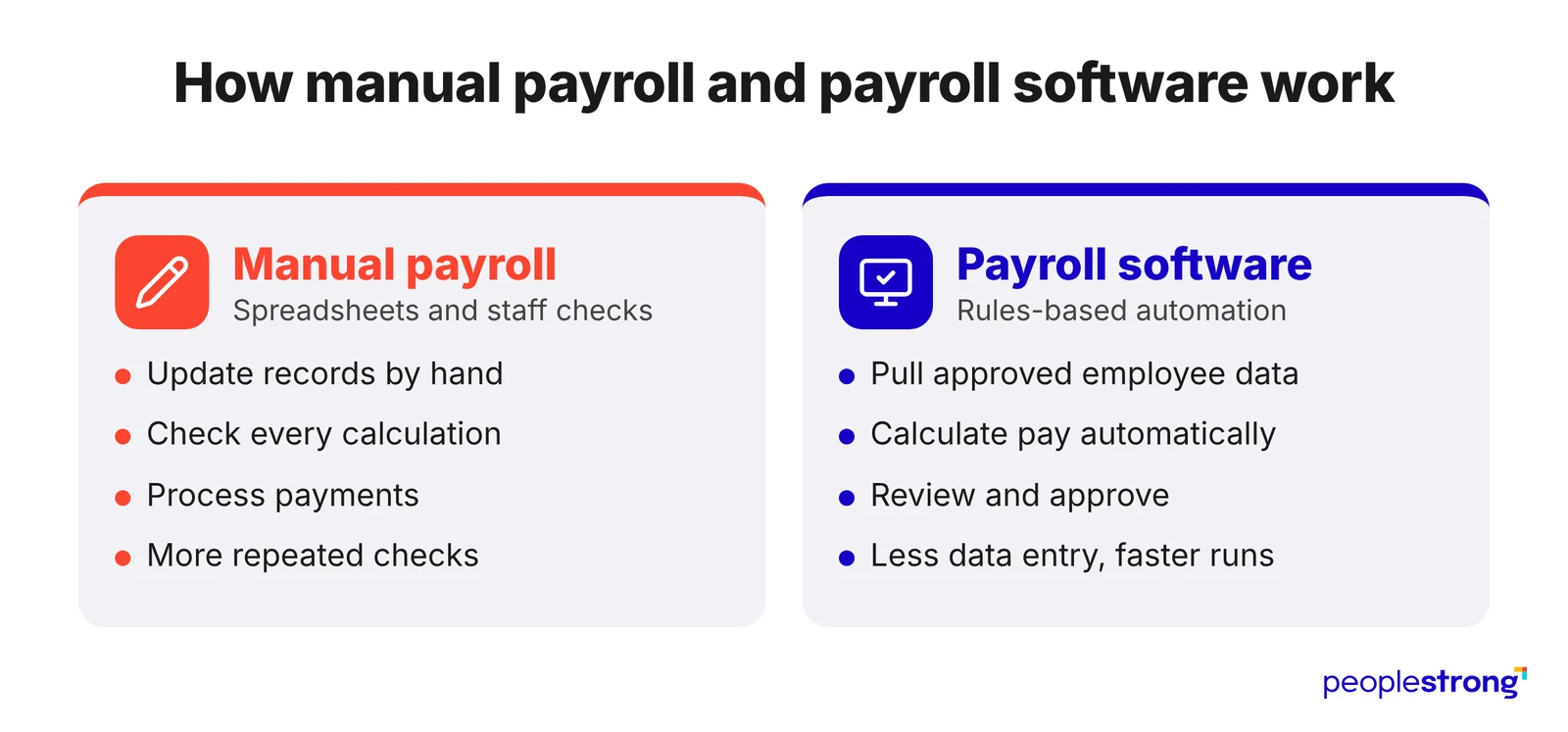
A spreadsheet won’t automatically account for an employee’s latest salary revision or attendance correction. Someone has to enter those changes and check whether the final pay is correct.
Payroll software can pick up approved employee information from a connected HR system and calculate salaries using the company’s pay rules. There is still a final review before payment, but staff don’t have to make every update by hand.
Payroll Software vs Manual Payroll: Quick Comparison
The table shows how each method handles common payroll tasks.
| Factor | Manual Payroll | Payroll Software |
|---|---|---|
| Calculations | Staff maintain formulas and check totals | Configured rules calculate regular pay components |
| Employee data | Information is transferred between files | Approved records can flow between connected systems |
| Processing time | Teams spend more time entering and reconciling data | Repeated calculations can be automated |
| Compliance | Staff monitor changes and update calculations | Supported statutory rules can be configured centrally |
| Security | Teams manage file access and version history | Access permissions and audit logs can be built in |
| Reporting | Registers are compiled from working files | Reports can be generated from payroll records |
| Scalability | Workload rises as pay policies become more complex | Existing rules can support larger payroll volumes |
Seven Key Differences Between Manual and Automated Payroll
To compare the two methods, consider how they perform during a normal payroll cycle and what changes as the business grows. The following areas are especially relevant for enterprise teams.
1. Accuracy of Payroll Calculations
One thing to watch out for with manual payroll is whether everyone is working with the latest figures. An employee’s salary may have changed, but the spreadsheet used for payroll might still show the previous amount. Formula errors can be just as easy to overlook.
Software can help catch unusual payments and apply the same calculation rules each month. Of course, those calculations will only be correct if the employee records are up to date.
2. Time Spent Preparing Salaries
Attendance approvals can take up a fair amount of time when payroll is managed through spreadsheets. Staff may have to follow up with managers for missing information, and corrections received after the calculations are complete need to be entered and checked again.
If you’re using payroll software with integrated leave and attendance management, approved records can go straight into the payroll system. Staff no longer have to transfer the same information between files, which cuts down on the work involved in preparing salaries.
3. Statutory Compliance
When you’re calculating salaries manually, you also need to account for any changes in tax rules or other statutory requirements. This means reviewing the deduction formulas regularly and making sure there’s a record of the amounts calculated.
Using payroll software can save some of this work. PeopleStrong Payroll supports calculations for TDS, EPF and ESI in India, based on the rules set up in the system. You’ll still want to check the final figures and confirm that the applicable requirements have been covered.
4. Total Payroll Costs
You may already have spreadsheets, so manual payroll can look like the cheaper option. But the time spent checking files and correcting payments has a cost too. Include the hours payroll and finance teams spend preparing each pay cycle when making the comparison.
Software brings subscription and implementation expenses. Staff will also need time to learn the new process. Measure processing hours and correction rates alongside the quoted price. That will give you a better basis for comparing the overall cost.
5. Data Security and Accountability
With manual payroll, it’s up to your team to keep salary records secure. This includes controlling who can open or edit the spreadsheets. If several copies are being shared over email, it can also become difficult to check which figures were approved.
PeopleStrong Payroll has access controls and audit trails that help with this. You should still involve your IT team when setting permissions and reviewing how sensitive payroll information is handled.
6. Employee Access to Payroll Information
In manual payroll, employees usually need to contact the payroll team to request copies of old payslips. Staff then have to retrieve the documents and share them, which can take up a fair amount of time when there are several requests to handle.
PeopleStrong’s employee self-service features allow employees to download their payslips directly. They can find the documents they need without having to depend on payroll staff for every request.
7. Reporting Across Teams and Locations
Having a global payroll strategy doesn’t mean every office follows the same reporting process. In fact, a 2026 survey by KPMG and UKG found that only 33% of the large multinationals surveyed used a standardized global payroll model, even though 92% had a global pay strategy.
For finance teams, separate payroll records can mean extra work when preparing reports. They may need to go through figures from individual offices before putting together a company-wide view. Connected systems can make payroll reports more consistent. Explore PeopleStrong Integrations to see how payroll can work with existing tools.
When Manual Payroll Is a Practical Option
For a small company where salaries remain fairly consistent, spreadsheets may be enough to manage payroll. There may be little reason to invest in a dedicated system if the current process works well. However, someone should check the figures before salaries are paid, and the steps should be documented so another employee can handle payroll in the administrator’s absence.
Things get more complicated when different offices follow their own pay policies. Enterprises may spend considerable time updating payroll files and checking the figures, regardless of whether their workforce is growing.
When Should You Consider Payroll Software?
If your payroll team is spending several days preparing salaries every month, it may be worth reviewing the current process. Look for issues such as:
- Salary amounts being corrected after the payroll has already been approved.
- Delays in receiving attendance information from managers.
- Employee details being updated manually in several spreadsheets.
- Difficulty finding out which payroll approvals are still pending.
- Separate calculation sheets being used for different locations or employee groups.
When evaluating a provider, ask for a demonstration using your own payroll rules. It will show you more than a general feature list.
How to Switch From Manual to Automated Payroll
Once you’ve chosen your payroll software, some work will be needed to get your existing records ready. Here are a few things to take care of before the first pay run:
- Go through your employee records and make any outstanding salary updates. Bank details should also be verified before the information is moved to the new system.
- Use your current payroll process as a reference when setting up deductions. You’ll also need to assign approval responsibilities to the appropriate staff members.
- Keep using your existing process while testing the software with a complete payroll cycle. This will help you find any differences in the calculated salaries.
- Once the figures have been checked, finance can compare the payment file with the salary register and reconcile the entries with the general ledger.
- Managers will need to understand how approvals work in the new system. Show employees how to use the available self-service features too.
For the finance checks, use this guide to payroll financial reporting and compliance. It covers the records and reconciliation work needed for a reliable payroll process.
Which Payroll Method Is Right for Your Organization?
Think about how much time your team currently spends preparing payroll and fixing errors. If you’re satisfied with the existing process, manual payroll may still be suitable. Otherwise, the differences covered in this guide should help you decide whether it’s worth making the switch.
For companies looking to reduce manual work, PeopleStrong Payroll offers automated salary processing and approval management. Its employee self-service features also make it easier for employees to access their payroll documents.
Frequently asked questions
Is Payroll Software More Accurate Than Manual Payroll?
It can be, especially when you’re processing salaries for a large number of employees. There’s less room for mistakes with formulas or data entry when calculations are automated. Of course, the information entered into the system still needs to be correct.
Does Payroll Software Replace Payroll Staff?
No. You’ll still need people to manage payroll and make sure everything is in order before salaries are paid. They can leave most of the regular calculations to the software and spend their time checking payments or dealing with issues that come up.
Is Payroll Software the Same as Payroll Outsourcing?
No. Payroll software helps your team calculate salaries and manage employee pay records. Payroll outsourcing, on the other hand, involves paying another company to handle the process for you. You can also use software alongside an outsourced payroll service.