












 About Us
 Brand
 Career
 Contact Us



 +91-7314623098


Quick overview:
Payroll software pricing in India depends on factors such as employee count, features, integrations, and implementation requirements. Vendors use different pricing models, including per-employee fees, fixed subscriptions, module-based pricing, and custom enterprise plans. Businesses should compare total costs, compliance coverage, scalability, and support before choosing a plan.
Key takeaways
- Payroll software pricing in India varies based on employee count, features, customisation, integrations, and support requirements.
- Common pricing models include per-employee monthly pricing, flat subscriptions, base fee plus per-employee charges, module-based pricing, and enterprise custom pricing.
- Implementation, employee data migration, training, and integrations can add to the initial software cost.
- A low subscription fee doesn’t always mean lower overall expenses. Compare the total cost of ownership before choosing a plan.
- Check employee limits, statutory compliance coverage, and scalability to ensure the software meets your current and future requirements.
- Review the features, support, maintenance, and security included in each plan before deciding.
Cost matters in any purchase, and payroll software is no different. But with so many options and pricing models available, comparing plans can get confusing.
Try buying payroll software in 2026, and you’ll understand. Some tools are priced per employee, while others use fixed subscriptions. Then there are implementation costs, scalability considerations, and several other factors to account for!
Moreover, it’s not a factor you can take lightly. 42% of Indian small businesses already identified rising costs as their biggest hurdle. So unless you want to risk your operational efficiency, you’d want to choose a pricing model that helps you avoid unnecessary expenses.
In this guide, we’ll break down payroll software pricing in India. Read on to learn the common pricing models, what affects software cost, and what to consider before choosing a plan.
What Factors Affect Payroll Software Pricing in India?
Payroll software pricing in India depends on several factors. Here are the top ones:
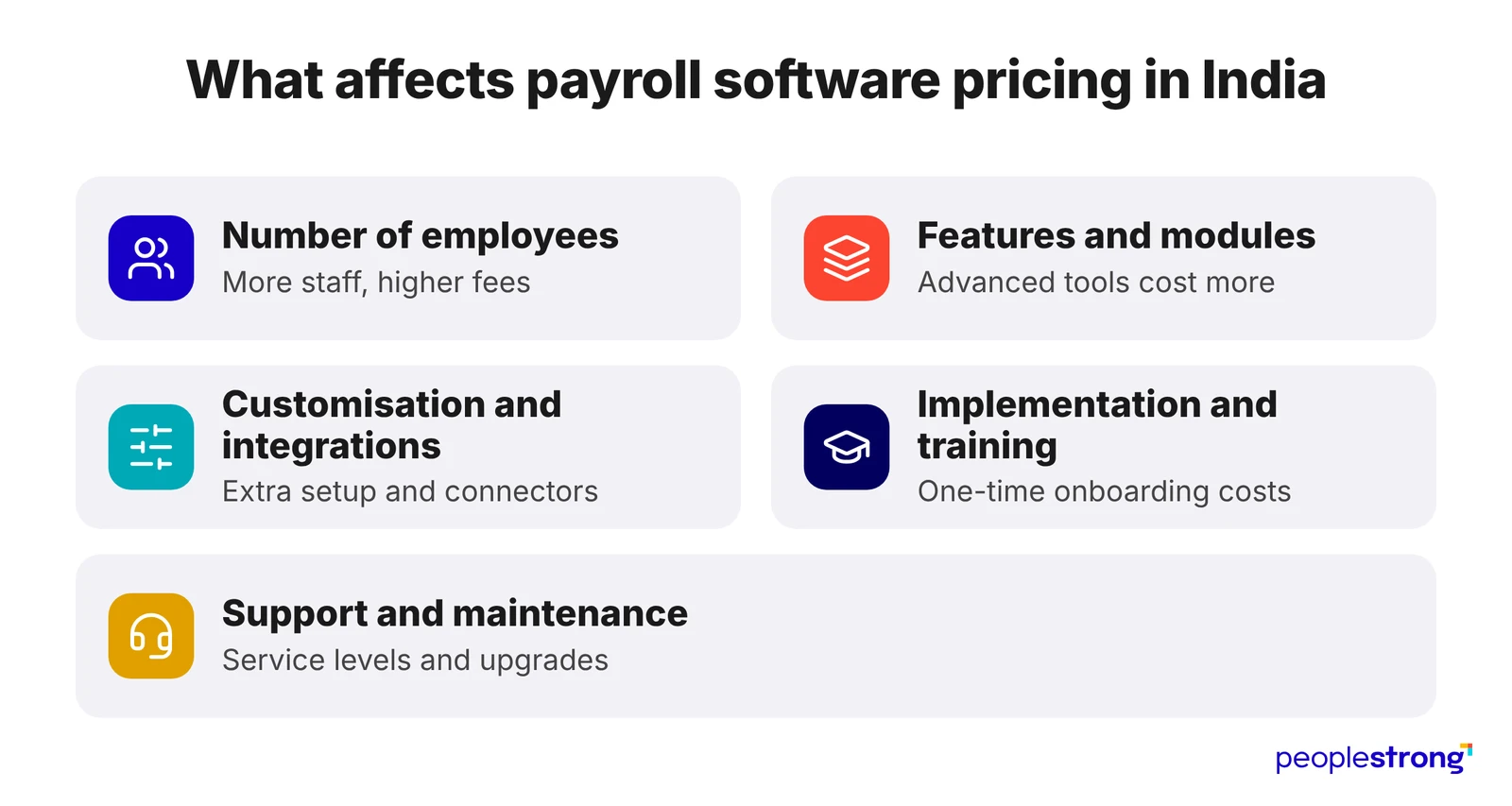
1. Number of Employees
Many vendors use a per-employee pricing model, where subscription costs increase with workforce size. Alternatively, some providers offer fixed monthly or annual plans with employee limits. In those plans, higher tiers usually accommodate larger teams.
2. Features and Functionalities
The range of features included in a payroll software package also influences its price. While basic plans cover salary calculations and payslip generation, advanced packages offer additional capabilities like automated statutory compliance, attendance tracking, expense management, and payroll analytics. Plans with more extensive functionality generally cost more.
3. Customisation and Integrations
Businesses with specific payroll requirements often need customised workflows, salary structures, or reports. Additionally, integrating payroll software with existing HRMS, ERP, and accounting systems can involve extra development and configuration costs. These requirements usually increase both implementation expenses and the overall price of the software.
4. Implementation and Training
The initial cost of payroll software may include more than the subscription fee. For instance, vendors may charge separately for system configuration, employee data migration, and initial setup. Training HR and finance teams to use the platform can also increase implementation costs.
5. Customer Support and Maintenance
Customer support and maintenance requirements can also influence the overall subscription price. While basic plans may include standard assistance, premium packages often provide dedicated support and faster issue resolution. Similarly, certain plans may include software updates, security maintenance, and statutory compliance updates, or bill them separately.
Top Payroll Software Pricing Models Used in India
Most payroll software providers in India follow one of the following five pricing models. Here’s a quick summary of how each works:
| Pricing Model | How Vendors Charge |
|---|---|
| Per-Employee Monthly Pricing | Fixed fee per employee, per month |
| Flat Monthly Subscription | Fixed monthly or annual fee |
| Base Fee + Per-Employee Pricing | Fixed fee + extra charge for each employee |
| Module-Based Pricing | Separate charges for individual features |
| Enterprise Custom Pricing | Custom quote for every company |
1. Per-Employee Monthly Pricing
Businesses pay a fixed monthly fee for every employee managed through the software. The total subscription cost increases or decreases with the number of employees.
Example: If a vendor charges ₹50 per employee per month, a company with 100 employees pays ₹5,000 monthly.
2. Flat Monthly Subscription
Businesses pay a fixed monthly or annual fee for access to the software, usually within predefined employee and feature limits.
Example: A company pays ₹2,000 per month for a plan that supports up to 50 employees, regardless of whether it manages 30 or 50 employees.
3. Base Fee + Per-Employee Pricing
This model combines a fixed platform fee with an additional charge for every employee managed through the software.
Example: If the base fee is ₹1,000 and the per-employee charge is ₹30, a company with 100 employees pays ₹4,000 per month.
4. Module-Based Pricing
Vendors charge separately for individual software modules, such as payroll processing, attendance management, and compliance automation. Businesses pay according to the modules they subscribe to.
Example: A company subscribes to the payroll module first and adds attendance management or expense tracking as its requirements grow. Each additional module increases the subscription cost.
5. Enterprise Custom Pricing
Large organisations with complex payroll requirements receive customised quotes based on workforce size, locations, integrations, and support requirements.
Example: A company operating across multiple locations may receive a customised package covering payroll processing, statutory compliance, integrations, and dedicated support. The vendor determines the final price based on these requirements.
What Should You Consider Before Choosing a Payroll Software Pricing Plan?
A plan with a low subscription fee might look tempting at first. But it’s not guaranteed to be the most cost-effective option for your business. So before making a decision, consider the following factors too:
1. Check the Total Cost of Ownership
Don’t compare plans based on subscription fees alone. Account for additional expenses such as implementation, data migration, integrations, training, and premium support. These one-time and recurring charges can significantly affect the software’s overall cost.
2. Check What’s Included in the Plan
Compare the features available at each pricing tier. Some plans include payroll processing, statutory compliance, attendance tracking, and reporting, while others charge extra for certain features or offer them as separate modules. Make sure the plan covers the functionalities your business actually needs.
3. Understand Employee Limits and Scalability
Check how many employees the plan supports and what happens when your workforce grows. Some vendors charge more as employee numbers increase, while others require businesses to upgrade to a higher subscription tier. Consider whether the pricing will remain manageable as you hire more employees or expand to new locations.
4. Evaluate Statutory Compliance Coverage
Check whether the plan automates statutory requirements such as PF, ESI, TDS, and professional tax calculations. Also, look for compliance updates and statutory report generation. Limited compliance features may mean additional manual work or the need to pay for a higher-tier plan.
5. Check Integration and Customisation Requirements
Consider whether the software integrates with your existing HRMS, accounting, attendance, or ERP systems. If you need custom workflows, salary structures, or reports, check whether the plan includes them or charges extra.
6. Compare Support and Maintenance
Check what level of customer support comes with each plan. Basic subscriptions may offer standard assistance, while higher tiers may include priority support or a dedicated account manager. Also, confirm whether the subscription covers software updates and ongoing maintenance.
Payroll Software Price Comparison: Which Option Is Right for Your Business?
Each payroll software pricing model has its own advantages and limitations. Use this comparison to understand how they differ and which one may work best for your business:
| Pricing Model | Pros | Cons | Suitable For | What to Check Before Choosing |
|---|---|---|---|---|
| Per-Employee Monthly Pricing | Pay according to workforce size; easy to estimate costs | Costs increase as employee count grows | Small and mid-sized businesses with a predictable workforce | Per-employee rate, minimum employee charges, and how the vendor counts employees |
| Flat Monthly Subscription | Predictable monthly expenses; straightforward budgeting | Employee limits and feature restrictions may require plan upgrades | Small businesses with a stable workforce that fits within the plan limits | Employee cap, included features, and charges for exceeding the limit |
| Base Fee + Per Employee Pricing | Combines a fixed platform fee with workforce-based pricing; suitable for varying team sizes | Fixed fee applies regardless of employee count, in addition to per-employee charges | Growing businesses that want a flexible pricing structure | Base fee, per-employee rate, and total cost at different workforce sizes |
| Module-Based Pricing | Pay for selected modules; add features as requirements change | Multiple modules can increase the overall subscription cost | Businesses that need specific payroll features or want to expand functionality gradually | Cost of individual modules, essential features, and integration charges |
| Enterprise Custom Pricing | Tailored packages; scope for complex integrations and dedicated support | Pricing may be less transparent; requires a customised quote | Large organisations with multiple locations, complex payroll structures, or extensive integration needs | Full pricing breakdown, implementation charges, support terms, and contract conditions |
Conclusion
Choosing payroll software isn’t simply about finding the lowest price. A plan may seem affordable initially, but additional charges for implementation, integrations, or essential features can increase the overall cost. On the other hand, paying for an expensive package doesn’t make sense if your business won’t use most of its features.
Understanding payroll software pricing helps you look beyond the advertised subscription fee and assess what each plan actually offers. Consider your current workforce, payroll needs, and future growth before choosing a pricing model. The goal is to find a solution that meets your needs without stretching your budget or making you pay for features you don’t need.
Looking for a payroll solution that balances functionality with your business requirements? Explore PeopleStrong’s Payroll Management Software to see how it can simplify payroll processing and compliance.
Hurry up! Get in touch today.
Frequently asked questions
What is the typical payroll software cost range in India?
Basic payroll tools may cost around ₹30-₹100 per employee per month. More comprehensive solutions with HRMS and compliance features usually charge ₹100-₹250 per employee per month. Actual costs depend on the vendor, features, and workforce size.
Is annual billing cheaper than monthly billing?
Usually, yes. Many vendors offer lower subscription rates for annual payments compared to monthly billing. However, check the total annual cost, renewal terms, and cancellation policy before committing to a longer subscription.
Is cloud-based payroll software cheaper than on-premise?
Cloud-based solutions generally involve recurring monthly or annual subscription fees, while on-premise software requires a larger initial investment and ongoing maintenance costs. Neither option is inherently cheaper or more expensive. The more cost-effective choice depends on your budget, IT infrastructure, data-control requirements, and long-term business needs.
Can I negotiate payroll system price?
Yes, especially if you have a large team. Most vendors have room on implementation fees and per-employee rates at higher headcounts.
How do I know if payroll software is worth the cost?
Compare the subscription cost against what manual payroll costs you today. Count the HR hours saved and the errors avoided. Faster month-end closing and fewer employee queries add value too. If the plan covers your compliance needs and fits your headcount, it usually justifies the price.
What happens to my payroll data if I cancel?
Most vendors let you export your data for a limited period after cancellation, though formats and timelines vary. Ask whether you can export payroll history, payslips, tax records, and statutory reports. Also ask how long the vendor retains your data afterwards.