










 About Us
 Brand
Brand
 Career
 Contact Us



 +91-7314623098



Work gets harder when employee information is spread across too many places. An HR manager sees a new joiner set up in one system, a reporting change sitting in another, and leave tracked in a spreadsheet, then has to sort out the mismatch before payroll is affected.
That is when many teams start asking what HR software is and how one system can hold together the employee lifecycle in India. This guide is for HR leaders, HR operations teams and IT stakeholders deciding whether to move to a more connected system of record for enterprise use. India is the clear scope here because statutory detail, multi-location operations and workforce variety shape the buying decision.
TLDR
- HR software is the system businesses use to manage employee records, workflows and HR processes from hiring to exit.
- In practice, the useful difference between HRIS, HRMS and HCM is scope: core records, operational workflows, or the wider people suite.
- For enterprises in India, the main value comes from shared data, cleaner workflows, stronger reporting, and better support for payroll and statutory processes.
- The right platform depends on your operating model, especially headcount, location complexity, attendance and payroll needs, reporting depth, and implementation readiness.
What is HR software in the context of the employee lifecycle?
HR software is a digital system used to manage employee information, HR workflows and people processes from hiring to exit. Put simply, it gives your business one place to store employee records, manage approvals, run recurring HR tasks and keep data consistent across teams.
If you are comparing terms, here is the simplest way to think about them:
- HR software meaning: The broad, everyday term for technology used to manage HR processes.
- What is HRMS: HRMS stands for Human Resource Management System. It usually includes core employee data plus operational workflows such as leave, attendance, onboarding, payroll inputs and employee self-service.
- What is HRIS: HRIS stands for Human Resource Information System. It often refers more narrowly to the employee database and core HR records.
- HCM: Human Capital Management usually refers to the wider suite, including core HR, payroll, recruitment, performance, learning, compensation and analytics.
In practice, vendors and buyers often use these terms differently. So the better question is not whether a platform labels itself HRIS, HRMS or HCM. It is what the system actually covers, how well the modules share data, and whether it fits the complexity of your business.
Here is a simple terminology map.
| Term | What It Usually Means | Typical Scope | Best Fit |
| HRIS | Core employee information system | Employee records, org structure, documents, basic reporting | Businesses that need a reliable system of record |
| HRMS | HR management software with process workflows | HRIS plus leave, attendance, onboarding, payroll inputs, self-service | Teams that need day-to-day HR operations in one place |
| HCM | Wider people management suite | HRMS plus recruitment, performance, learning, compensation, analytics | Enterprises that want one platform across the full lifecycle |
| HR software | Umbrella term | Any mix of the above | Buyers starting research or comparing categories |
This lifecycle view matters because HR processes do not happen in isolation. Hiring creates employee records. Those records flow into onboarding. Onboarding affects payroll setup, access, policy acceptance and manager visibility. Performance, learning, mobility and compensation all depend on the same underlying people data. Exit processes then need the same record to close cleanly.
That is why enterprise buyers usually treat core HR as the foundation, not a standalone admin tool.
Why core HR software sits at the centre of every HR system
Core HR software is the system of record for your workforce. It holds the master employee profile, reporting lines, job data, location, employment status, documents, policies and lifecycle changes that every other HR process depends on.
Without a stable core, other HR tools start drifting apart. Your payroll team may be using one employee status, recruitment may be using another, and managers may be looking at outdated structures in dashboards. The result is not only more manual work. It also slows decisions and increases the risk of errors in pay, approvals, access and compliance records.
PwC’s Pulse Survey has shown that business leaders increasingly expect HR technology to support better workforce decisions, not only transaction processing. For you, that means the data model underneath HR needs to stay dependable and current if you want reporting and workflows to hold up under pressure. A core HR platform creates that base by giving you one source of employee truth.
For enterprise teams in India, this central role becomes even more important when the business has:
- Multiple legal entities
- Several office and plant locations
- A mix of blue-collar and white-collar employees
- Different attendance rules
- Frequent transfers, promotions or manager changes
- Payroll processes tied to statutory requirements
A core HR platform helps standardise all of that. It does not remove policy complexity by itself, but it gives you a controlled place to manage it.
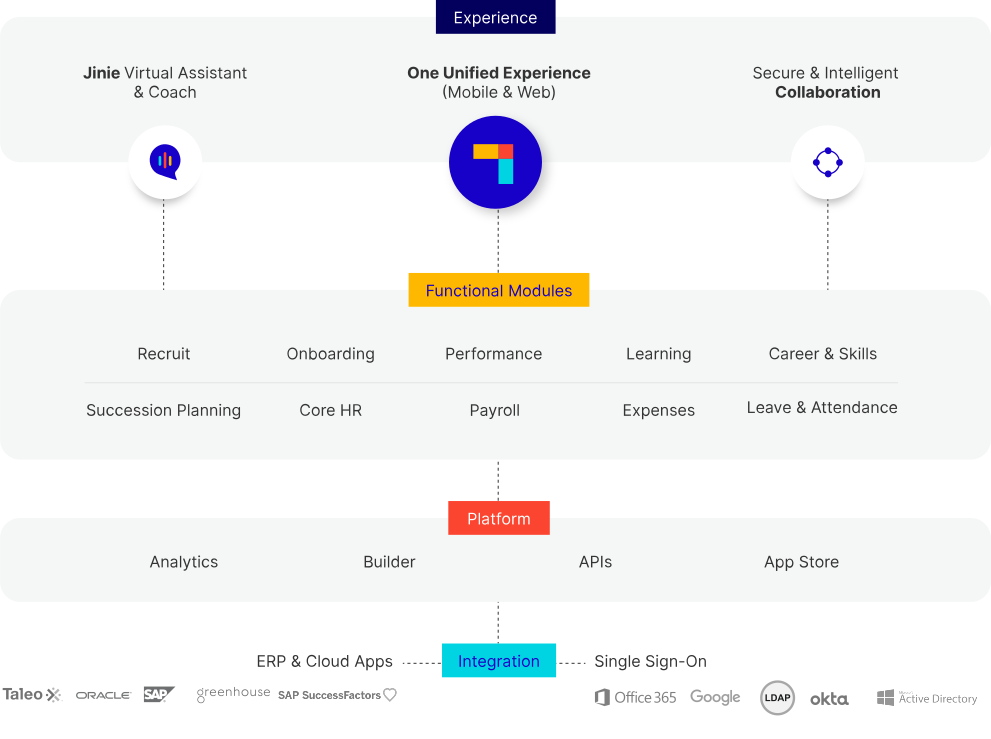
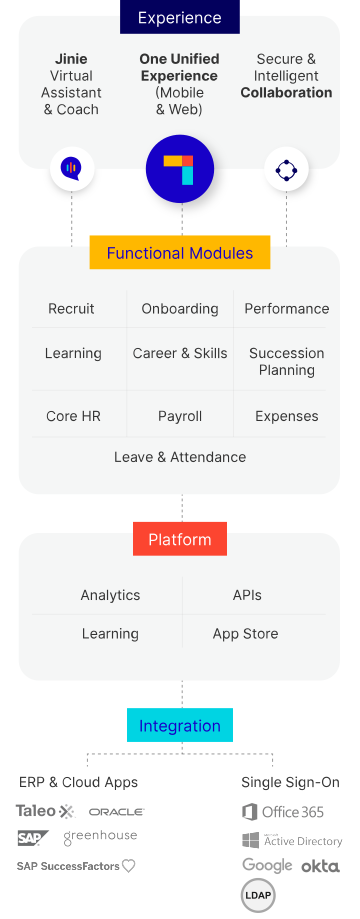
PeopleStrong’s Core HR platform is built for that central role. It sits underneath the wider hire-to-exit suite, so employee records, workflows and self-service actions connect to payroll, workforce management, talent acquisition, performance, learning and compensation instead of being passed manually from tool to tool.
How HR software supports each stage from hire to exit
One useful way to understand HR software is to follow the employee journey. The closer your system tracks that journey in one place, the less rework your HR team usually carries.
1. Hiring and pre-boarding
HR software supports hiring by connecting approved roles, candidate movement and offer details to employee creation. Once a candidate accepts, the same platform can push data into pre-joining workflows such as document collection, policy acknowledgement and onboarding task assignment.
This matters because early-stage data errors travel far. A wrong department, location or manager entered at hiring can affect IT provisioning, payroll setup and reporting later.
2. Day-one onboarding
Onboarding workflows help HR teams assign tasks, collect forms, share policies and track completion across HR, managers, IT and facilities. New employees get a clearer start, and HR has a record of what was completed and when.
For enterprise teams, this gets especially useful when onboarding is distributed across many branches, plants or offices. Standard workflows reduce variation without forcing every business unit to manage the process by email.
3. Core employment changes
Once an employee is active, the HR system manages transfers, promotions, confirmation, manager changes, department shifts, document updates and policy records. The value here is data continuity. People changes are common, and a well-run HR system records them once and reflects them across downstream processes.
This is also where employee and manager self-service starts to matter. Routine requests such as profile updates, leave applications or document downloads move faster when employees can do them directly within policy controls.
4. Time, leave and attendance
Attendance and leave are operational processes, but they are closely tied to core HR data. Shift rules, location rules, holiday calendars, manager hierarchies and employee categories all affect how attendance is captured and approved.
In India, this often matters at enterprise scale because workforce patterns vary sharply across corporate offices, field teams and shop floors. One HR management software platform helps apply rules consistently while still supporting role-specific workflows.
5. Payroll inputs and compliance support
Core HR software does not replace the payroll engine in every case, but it should provide clean employee data and approved inputs to payroll. That includes joiners, exits, attendance, leave without pay, bank details, salary changes and statutory identifiers.
For India-based enterprises, this matters because payroll quality depends on accurate upstream records. Systems built to support compliance workflows can help teams manage recurring obligations more consistently, including:
- Provident Fund
- Employees’ State Insurance
- Tax deduction records
- Gratuity-related service records
The point is not that software guarantees compliance. It does not. The point is that a connected HR system reduces manual handoffs and gives your payroll and compliance teams cleaner records to work from.
6. Performance, learning and career movement
As businesses grow, HR software often expands beyond administration into employee development. Goals, reviews, learning activity, internal mobility and compensation planning all depend on current employee and manager data.
That is one key difference between a narrow HRIS and a wider HCM platform. A narrower system may store the employee record. A wider platform uses that same record to run year-round people processes.
7. Employee support and queries
A large part of HR workload comes from repeat employee questions. Leave balances, payslips, policy checks, approval status and document requests can consume a lot of time if HR handles them manually.
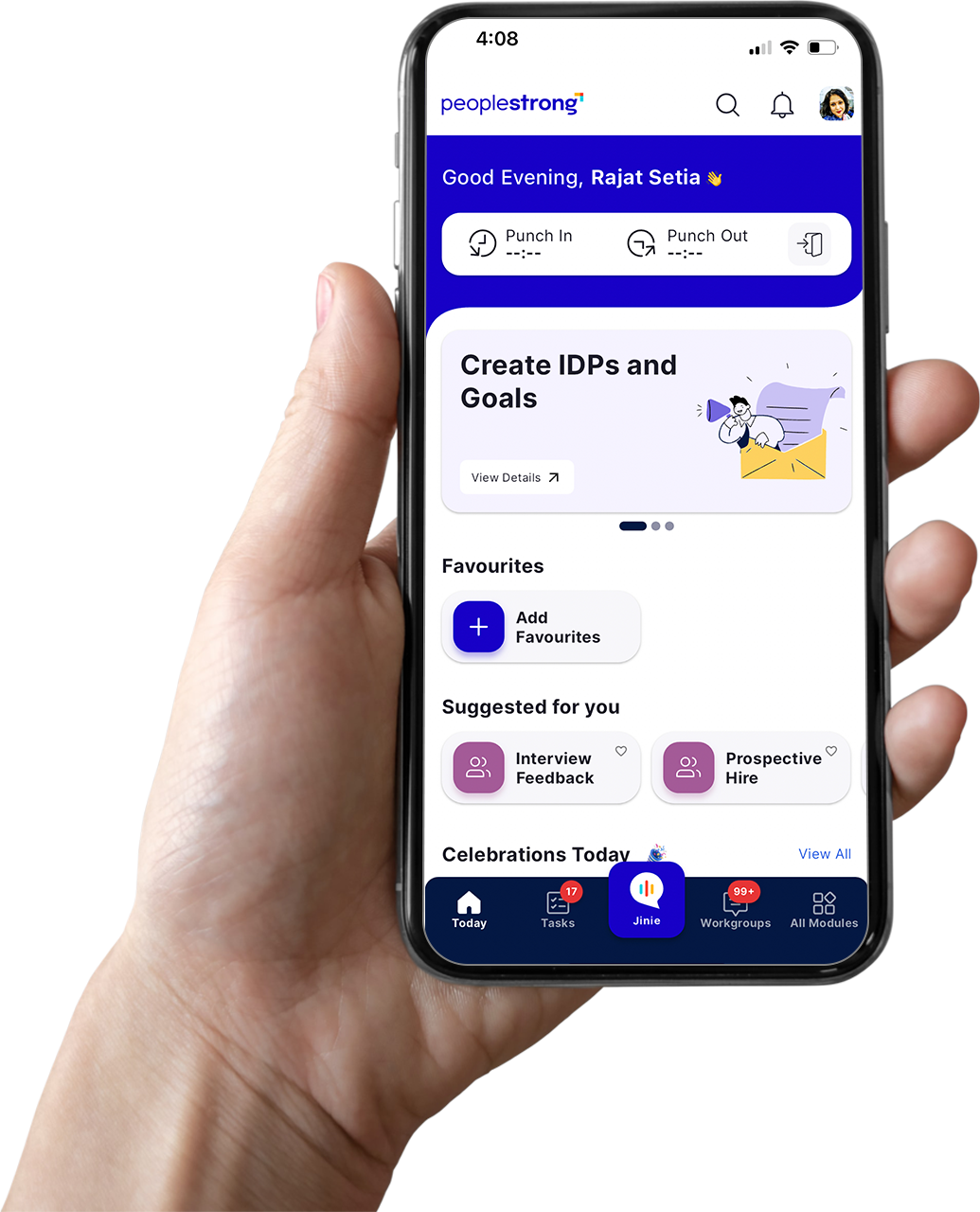
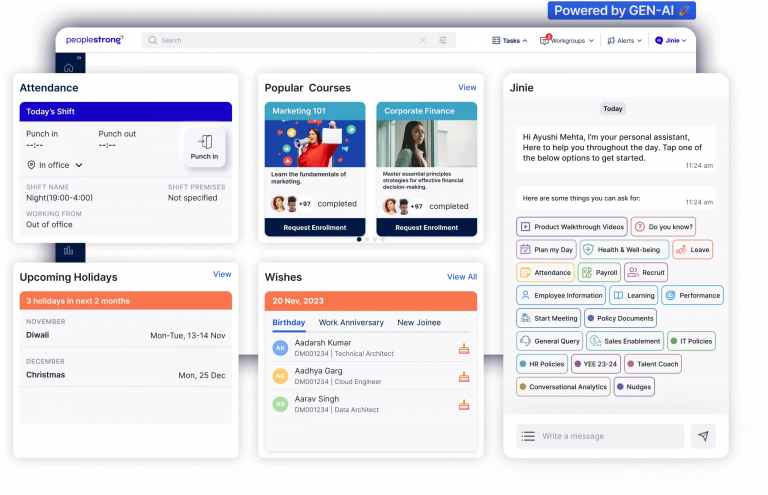
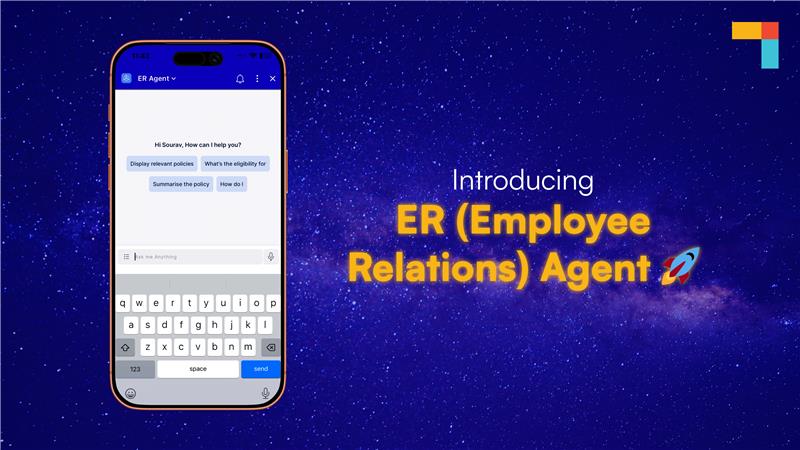
This is where embedded AI can help when it is tied to real workflows. PeopleStrong’s Jinie is built into the platform to resolve employee HR queries around the clock, and PeopleStrong cites a roughly 60% reduction in HR administrative load in those query-heavy use cases. For your HR team, that means less time spent answering routine requests and more time for policy, workforce planning and business support.
8. Exit and full-and-final processes
The lifecycle does not end when an employee resigns. Exit requires approvals, asset recovery, notice tracking, final records, payroll coordination and documentation. If those steps sit across disconnected tools, delays and record gaps become more likely.
A unified HR system keeps the exit workflow visible and linked to the same employee record that started at hiring. That improves auditability and reduces back-and-forth between HR, payroll, finance and line managers.
The most important HR software features by process area
Many articles answer what HR software is with a feature list that treats every capability as equally important. Enterprise buyers usually need a more practical view: which features matter, and why.
1. Employee database and digital records
This is the base layer of any HR system. It should store employee profiles, organisation structure, documents, policy acknowledgements and lifecycle history in one place.
Look for:
- Configurable employee fields
- Document management
- Role and reporting structure visibility
- Work history and lifecycle tracking
- Permission-based access controls
2. Workflow automation and approvals
Automation matters because HR work is approval-heavy. New hires, transfers, leave requests, policy sign-offs and separation steps all move through multiple stakeholders.
Look for:
- Rule-based workflows
- Multi-level approvals
- Audit trails
- Alerts and reminders
- Exception handling for special cases
3. Employee and manager self-service
Self-service reduces routine admin and improves response speed. Employees should be able to update basic details, request leave, access documents and track requests. Managers should be able to approve actions, view team data and act on routine workflows.
Look for:
- Mobile access
- Document downloads
- Leave and attendance actions
- Team dashboards for managers
- Simple request tracking
4. Leave, attendance and workforce controls
For many Indian enterprises, this is where a basic HR tool starts to show limits. Shift patterns, site-level attendance rules and approval flows need to be tied back to the employee record.
Look for:
- Multiple leave policies
- Holiday calendars
- Attendance regularisation
- Shift and roster support
- Integration with payroll inputs
5. Payroll data readiness
Even if payroll sits in a separate engine or managed service, core HR software should keep payroll inputs clean and current.
Look for:
- Joiner, mover and leaver tracking
- Compensation change records
- Bank and statutory data capture
- Attendance-linked payroll inputs
- Clear handoff into payroll processing
6. Reporting and analytics
Reporting is often the first weakness of fragmented tools. Leaders need headcount, attrition, attendance, cost and movement data without stitching reports together manually.
Deloitte’s research on HR technology and workforce trends has consistently pointed to the need for connected data that supports business decisions, not only transactions. For you, that means HR software should make reporting more dependable across modules rather than forcing your team to reconcile separate records first.
Look for:
- Standard dashboards
- Ad hoc reporting
- Organisation and location views
- Trend analysis over time
- Cross-module visibility
7. Integration capability
No enterprise HR platform works in isolation. Finance, identity systems, collaboration tools and specialist applications all need some level of connection.
Look for:
- API availability
- Standard integration patterns
- Import and export controls
- Identity and access support
- Data synchronisation governance
8. Security and compliance controls
This matters for every enterprise, especially for sectors such as BFSI, manufacturing, healthcare and large services businesses handling sensitive employee data.
Look for:
- Role-based permissions
- Audit logs
- Data retention controls
- Access review processes
- Support for local policy and statutory workflows
HR software vs fragmented HR tools: what changes at enterprise scale?
A small business can often operate for a while with spreadsheets, email approvals and a few point tools. Enterprise complexity changes that equation.
The main shift is not simply higher employee volume. It is the number of dependencies between processes. At scale, your HR data affects payroll, workforce deployment, learning assignments, reporting, manager approvals and compliance records across locations.
Here is the practical difference.
| Approach | How It Works | Strengths | Limits at Enterprise Scale |
| Spreadsheets and email | Manual records and approvals | Familiar, low starting cost | High error risk, poor visibility, weak audit trail |
| Point HR tools | Separate tools for leave, payroll, recruitment or records | Fast to adopt for one process | Data duplication, weak reporting, handoff errors |
| Unified HR software platform | One system of record across core HR and connected workflows | Shared data, cleaner processes, stronger reporting | Requires implementation discipline and change management |
What changes at enterprise scale is the cost of fragmentation. One duplicated record may seem minor, but repeated across thousands of employees it creates real operating drag. HR teams spend more time reconciling data. Managers lose trust in dashboards. Payroll teams chase corrections late in the cycle. IT carries extra integration and access work.
A unified platform does not make complexity disappear. It makes complexity easier to manage because the data and process backbone is shared.
For companies that have outgrown entry-level HR tools, this is usually the turning point. They no longer need a tool that solves one task neatly. They need an HRMS or HCM platform that can stay stable as the business adds locations, employee categories, policies and reporting needs.
Benefits of using one HR software platform
The main benefits of a single platform come from consistency, control and visibility across the full employee lifecycle.
1. Cleaner employee data
One platform reduces duplicate entry and conflicting records. That improves trust in the employee master and lowers rework across HR, payroll and managers.
2. Faster HR operations
When approvals, records and routine transactions sit together, HR teams spend less time switching tools or checking whether data matches. Service speed improves because the process path is clearer.
3. Better manager and employee experience
Managers get one place to view team structures, approve requests and track changes. Employees know where to go for leave, documents, policies and support.
4. Stronger reporting
Shared data makes it easier to answer basic but important questions: How many active employees do we have by location? Where is attrition rising? Which teams have pending confirmations or overdue reviews?
5. Better support for payroll and statutory processes
The most useful HR systems do not just store records. They feed approved, current data into payroll and related compliance workflows. That reduces manual checking and helps teams work with cleaner inputs.
6. Lower admin load through self-service and AI support
Employee self-service reduces routine tickets. Embedded AI can cut them further when it is linked to actual records and workflows. PeopleStrong’s Jinie is designed for that kind of use, handling common HR queries such as leave, payslips and policy questions with a cited reduction of around 60% in HR administrative load.
7. A platform you are less likely to outgrow
Enterprise buyers often need more than a clean interface or a quick first rollout. They need depth across core HR, payroll, workforce management, talent acquisition, performance, learning and compensation as the business evolves. PeopleStrong currently supports 500+ enterprise customers, manages more than 2 million employees across 10 countries, and has been recognised in Gartner Peer Insights and Gartner Voice of the Customer as a Customers’ Choice for HCM in 2022, 2023, 2024 and 2025. For you, those proof points matter because they show operating maturity, enterprise use and sustained customer recognition rather than early-stage promise.
Which HR software capabilities matter most for different enterprise scenarios
The right feature mix depends on the problem you are trying to solve. A manufacturing business with shopfloor attendance needs something different from a services business focused on internal mobility and manager approvals.
| Enterprise Scenario | Capabilities That Matter Most | Why They Matter |
| Multi-location manufacturing | Attendance, shift support, mobile self-service, payroll-ready data, location-level reporting | High workforce volume and site variation increase the cost of manual co-ordination |
| BFSI or compliance-heavy sectors | Audit trails, access controls, document records, approval workflows, reporting | Sensitive employee data and policy scrutiny require stronger control and traceability |
| Fast-growing services business | Onboarding, organisation changes, self-service, manager workflows, analytics | Frequent hiring and role movement create pressure on process speed and data accuracy |
| Businesses moving off fragmented tools | Core employee master, integrations, reporting, lifecycle workflows | The first need is usually one source of truth and fewer handoff errors |
| Enterprises standardising the full lifecycle | Core HR, payroll and workforce management, recruitment, performance, learning, compensation | The goal is to reduce system sprawl and run people processes from one platform |
The limits of HR software and how to plan around them
HR software helps, but it is not a cure for unclear policy or weak process design. You will make better decisions if you plan for those limits upfront.
1. Software cannot fix inconsistent policies on its own
If different business units follow different approval rules without clear ownership, the system will reflect that confusion. The better approach is to agree which processes will be standard and where local variation is necessary before implementation begins.
2. Data quality still needs governance
A platform can centralise data, but someone still needs to define field ownership, update rules and approval responsibility. Without governance, even a good HR system fills up with inconsistent records over time.
3. Enterprise rollouts need change management
The larger the business, the more important adoption becomes. Managers and employees need simple workflows, clear communications and local support during rollout. A technically sound implementation can still struggle if process change is not explained.
4. Some customisation requests should be challenged
Enterprise buyers often ask whether the system can be customised for every edge case. Some flexibility is useful. Too much process variation creates maintenance and reporting problems later. It is usually better to protect the standard process where the business impact is low and reserve complexity for cases that truly matter.
5. Performance and usability should be tested early
It is reasonable to ask detailed questions about load times, session behaviour, reporting depth and workflow flexibility during evaluation. Those are practical buying issues, not minor details. Running scenario-based demos with your own attendance, payroll and approval flows is one of the best ways to test fit before rollout.
6. Platform breadth can increase implementation scope
A wider suite can reduce tool sprawl, but it can also make prioritisation more important during rollout. PeopleStrong’s breadth across Core HR, Payroll and Workforce Management, Talent Acquisition, Performance and Talent Management, Learning, Onboarding, Compensation and HR Analytics is useful when you want one connected platform, but many enterprises still phase modules by business priority so change is easier to absorb.
How to choose the right HR software platform
If you are evaluating HR software for your business, the choice usually gets clearer when you assess the platform against your operating model rather than a generic checklist.
1. Start with your system-of-record needs
Ask where employee truth will live. If your employee data is still spread across payroll files, local trackers and department tools, your first priority should be a reliable core HR foundation.
2. Map the lifecycle, not just one module
A leave tool may solve one visible problem. A payroll engine may solve another. Enterprise buyers should also ask how data moves from recruitment to onboarding, from attendance to payroll, and from employment changes to reporting.
3. Check fit for India-specific complexity
For Indian enterprises, localisation matters. You should assess how the platform handles statutory fields, location complexity, leave structures, attendance models and payroll dependencies in real operating conditions.
4. Evaluate reporting depth early
Reporting is often left until late in the buying process, then becomes a source of frustration after go-live. Ask for real examples of headcount, attrition, attendance and lifecycle reporting that mirror your business structure.
5. Look at implementation practicality
Some platforms are deep but require very long, partner-led rollouts. Others are easier to start with but may not hold up as complexity grows. A strong fit usually combines enterprise breadth with a rollout model your HR and IT teams can realistically absorb.
6. Consider whether you need a platform or a patchwork
If you already run three or more disconnected tools, the next tool may not be the answer. It may be time to move to one platform that covers core HR, payroll and workforce management, talent acquisition and other linked processes in a more controlled way.
PeopleStrong is built for that graduation point. It gives enterprises one hire-to-exit HCM suite with Core HR, Payroll and Workforce Management, Talent Acquisition, Performance and Talent Management, Learning, Onboarding, Compensation and HR Analytics on one platform. For large employers in India that have outgrown smaller HR tools but do not want the cost and rollout weight often associated with global suites, that position is useful to examine closely.
Schedule a Demo using your own employee master, approval flows, leave rules and payroll handoff scenarios. The right choice will usually come down to four factors: whether the system can act as a dependable source of employee truth, whether it supports your India-specific operating complexity, whether reporting stays usable as the business grows, and whether the rollout model is practical for your HR and IT teams.
FAQs
What is the difference between HR software, HRIS, HRMS and HCM?
How does HR software work?
HR software works by storing employee data in a central system and using that data to run workflows such as onboarding, leave, attendance, approvals, payroll inputs and reporting. The better the shared data model, the less manual reconciliation your team needs. Enterprise platforms also extend that same record into performance, learning and compensation processes.
Who needs HR software?
Any business with recurring employee processes needs some form of HR software, but the need becomes sharper as headcount, locations and policy complexity increase. Enterprises usually benefit most when they need one source of truth across HR, payroll, attendance and reporting. That is especially true when disconnected tools are creating duplicate work.
What features should you look for in HR management software?
Start with core employee records, workflows, self-service, reporting, leave and attendance, payroll data readiness and security controls. After that, prioritise the features that match your operating model, such as recruitment, performance, learning or compensation. For enterprise teams, integration capability and auditability also matter early.
When should a company move from point tools to one HR system?
A company should usually move when data is being entered in multiple places, reporting takes manual stitching, and payroll or attendance relies on repeated corrections. Other signs include growth across locations, more employee categories, heavier compliance needs and rising manager frustration with approvals. At that point, one HR system is often easier to govern than a growing stack of disconnected tools.